Session notes
The note, drafted from the session itself.
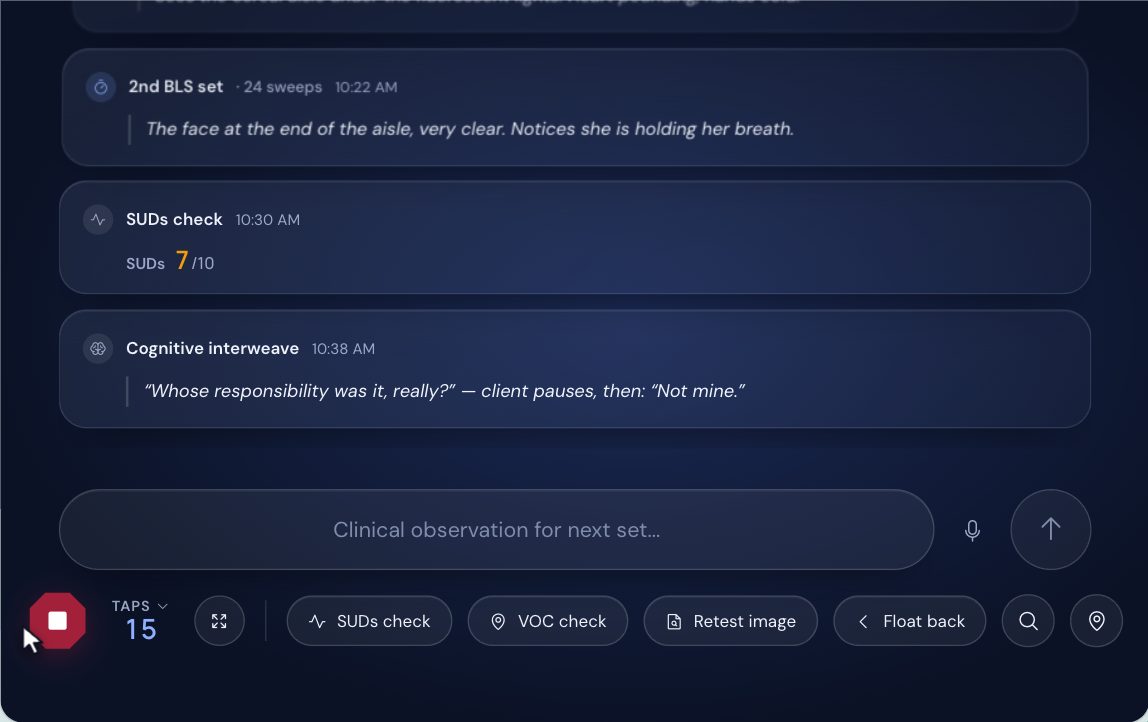
intuitiveEMDR records the session as it runs: the phases you work in, the target, every SUDs and VOC reading, every set of bilateral stimulation and your timestamped notes. When you finalize the session, it drafts the progress note from that record, in the format you choose. You read it, edit it and sign it, then copy it into your EHR field by field.
What the draft is written from
The draft starts from what the session room recorded, not from memory at the end of the day.
- The phases you chose for the session. A phase is never guessed.
- SUDs and VOC from the start of the session to its end. A change is stated only when both readings exist.
- The bilateral stimulation and interventions you used, the body scan and the closure.
- The notes you typed during the session, with their times.
Six formats
SOAP, DAP, BIRP, an EMDR protocol note, a case management note and a brief progress note. The EMDR protocol note is the one that writes the counts of sets and sweeps into the note.
Process, not content
Notes drafted from the session record describe the work, not the trauma. The memory itself, the negative and positive cognitions, the emotions and where the client felt them in the body stay in your record and out of the note. The client is always "the client", never a name.
From what was said
Press Record session in the room, then Stop & transcribe, and the note is drafted from the transcript, as SOAP, DAP or BIRP. Transcription runs under a signed Business Associate Agreement. Audio is never kept, and the transcript is deleted the moment you sign the note.
Audio notes come with every session on Insight; the free plan includes a few to try.
Into your EHR
Copy for EHR lays the signed note out field by field, in the order your EHR asks for it, with a Copy button on each field, Copy all, and Print / PDF. It adds one line of EMDR data: the phase, the target's label, SUDs, VOC, sets and minutes. The note is marked "Not yet in your EHR" until you copy it.
What it does not do
- It does not sign anything for you. Every draft waits for you to read, edit and sign it.
- It does not file the note in your EHR. You copy it in.
- It never states a phase you did not choose, or a change in SUDs or VOC it has no reading for.
- It does not keep session audio.
Questions
Which AI drafts the note?
A model on Google Cloud's Vertex AI, under a signed Business Associate Agreement. Nothing of your clients' is used to train an AI.
Does the note include the trauma memory?
Notes drafted from the session record do not. The memory, the cognitions, the emotions and the body locations stay in your record; the note describes the work you did.
Can I change the draft?
Yes. The draft is yours to edit before you sign it.
Is session audio kept?
No. Audio is never stored. The transcript is deleted the moment you sign the note, and a transcript whose note is never signed is deleted after thirty days.
How many notes can I draft on the free plan?
The free plan includes a monthly allowance of drafted notes and a few audio notes to try; Insight drafts without a limit. The pricing page has the numbers.
Read next
Notes drafted from the session itself.
Run a session, finalize it, and read the draft. The free plan needs no credit card and has no time limit.
Create a free account